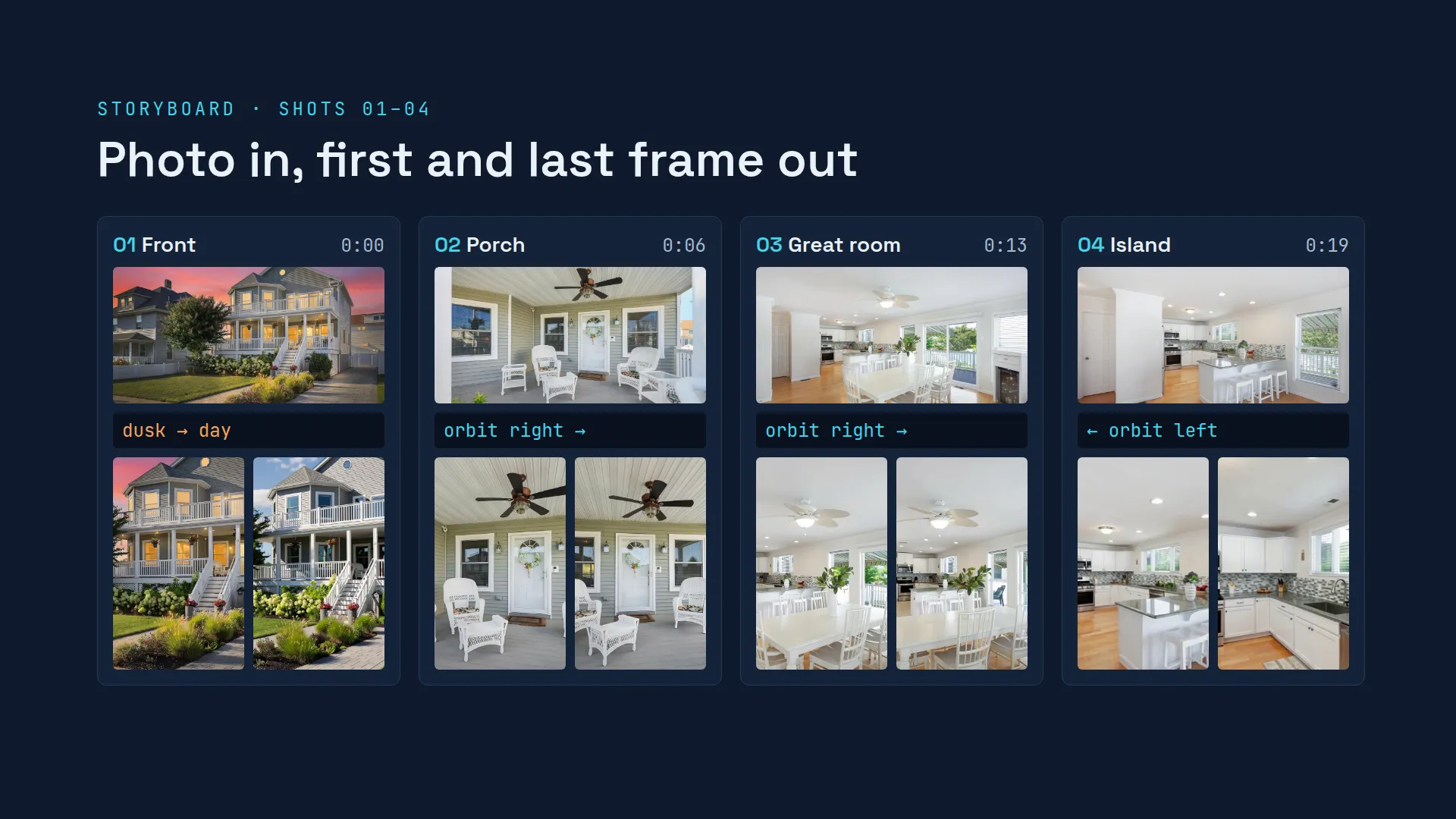
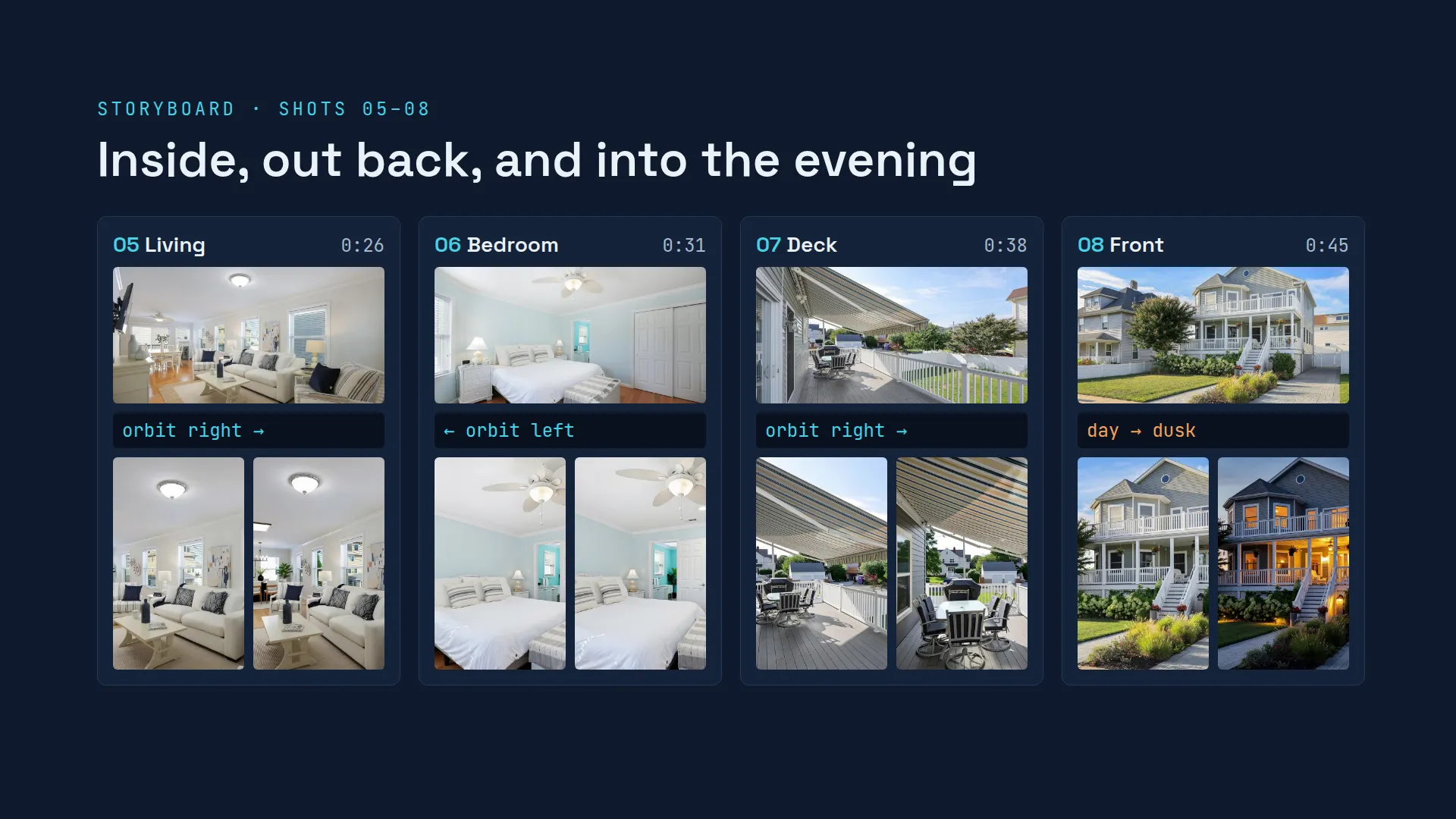
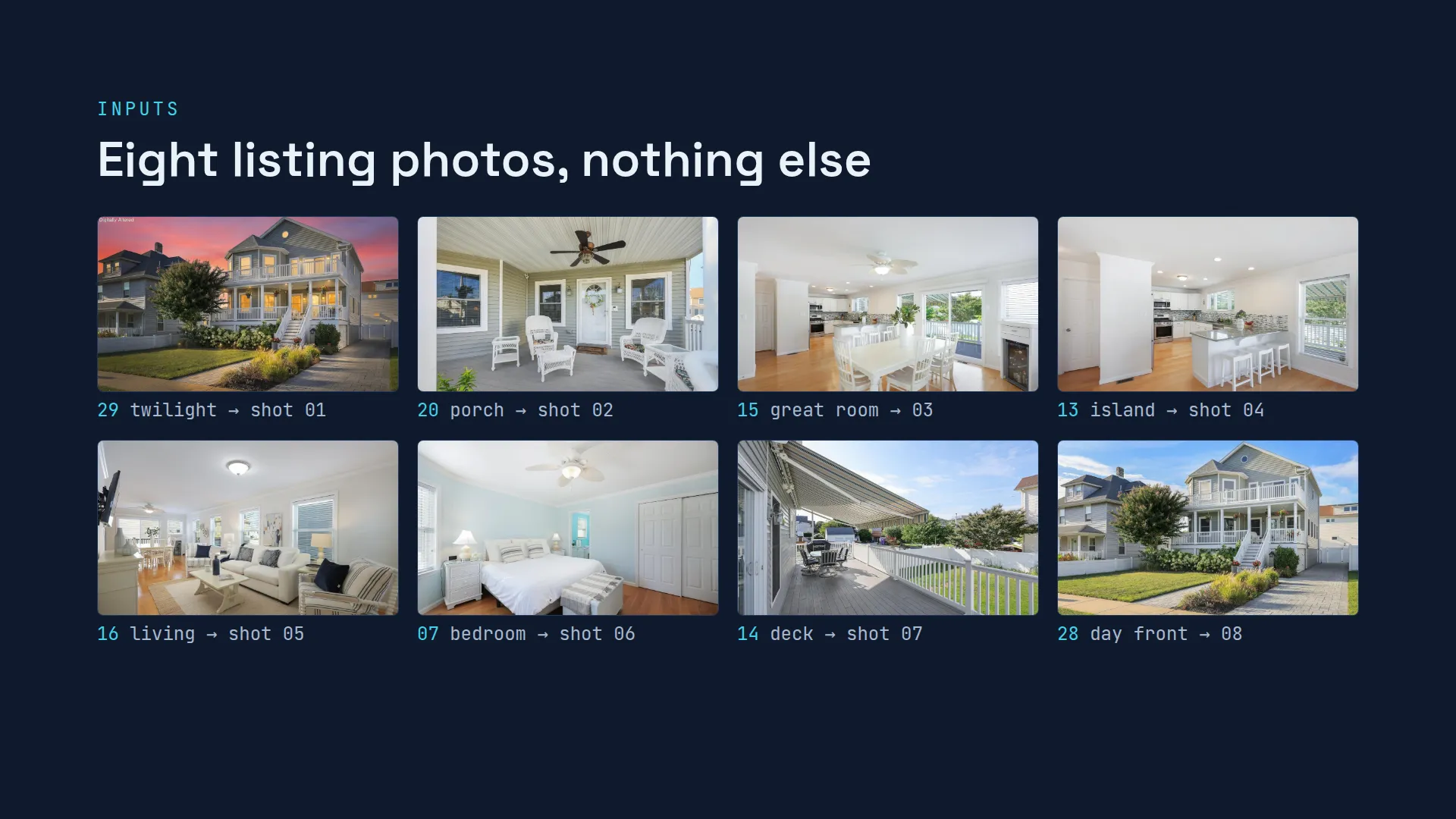
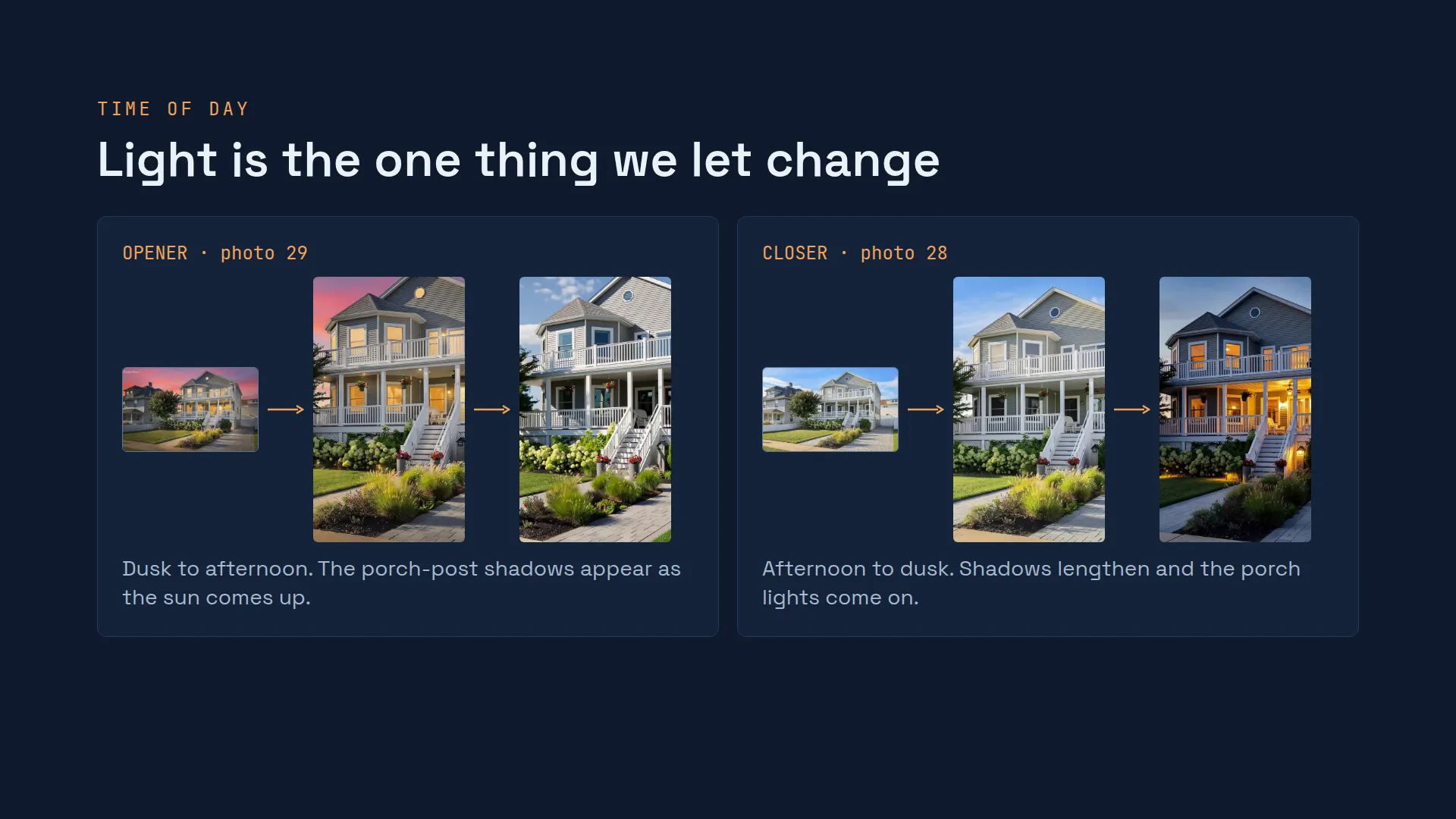
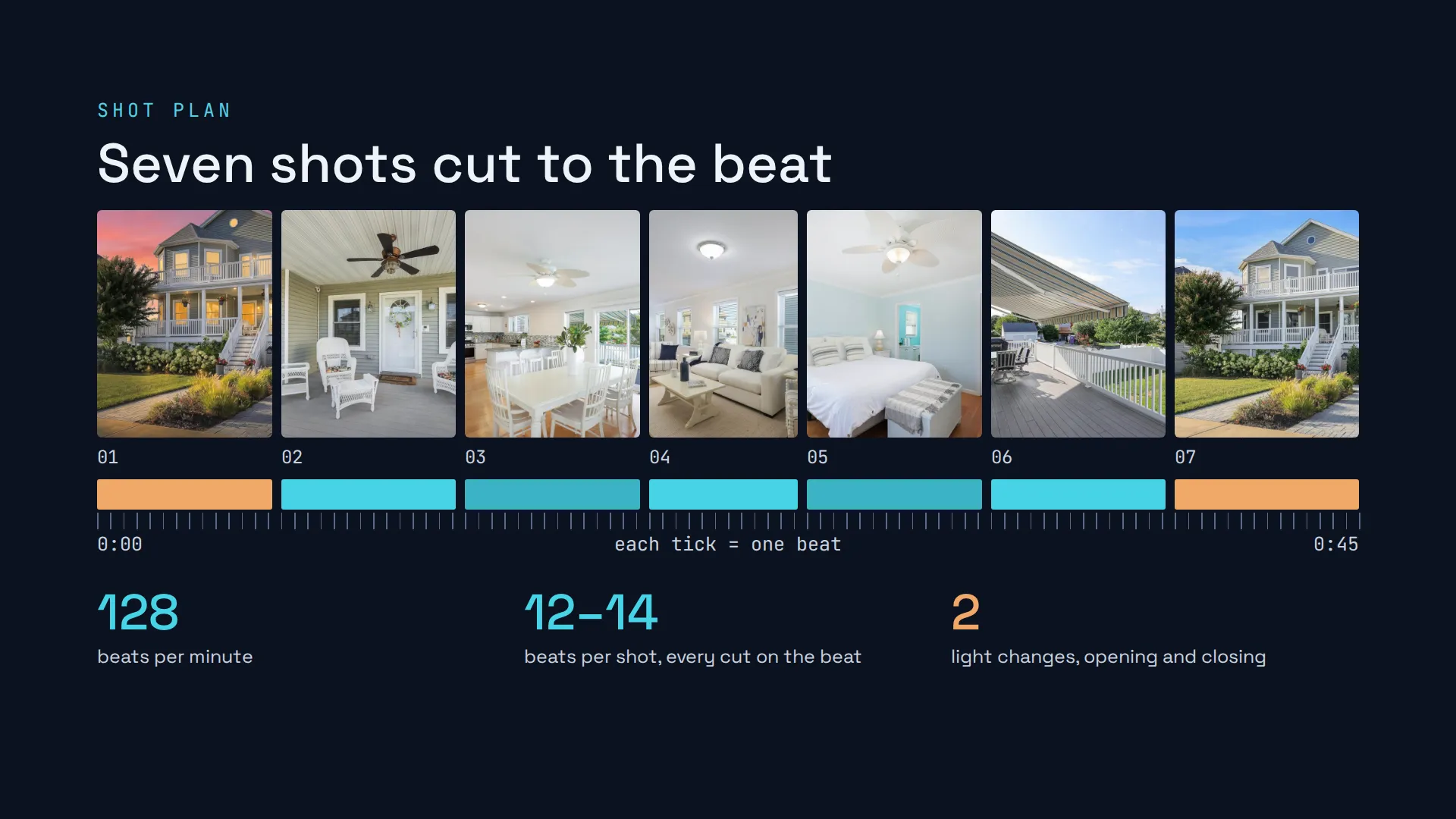
1 / 15Each card: the listing photo on top, the camera move, then the first and last frame the AI produced. Shot 01 opens on the listing’s own twilight photo and brings the light up to afternoon. Shot 04 was the one standard-definition take, so the final reel leaves it out.2 / 15The reel closes where it opened, at the front of the house, but this time the light goes from afternoon down to dusk and the porch lights come on.3 / 15Close on the house in daylight. The process repeats for any listing with good photos.4 / 15Opening: everything in the reel started as one of the listing’s own photos. AI added motion and light, nothing else.5 / 15Each shot got the same three-part instruction: anchor on the photo, one camera move, and light as the only change. The prompt shown is simplified; the real ones are longer but follow this shape.6 / 15This is the end card on the real Forman Ave reel, in three frames. The last shot plays, then the card fades in over it, so the house stays behind the address instead of cutting to black. Under the address sit the brokerage line, Equal Housing Opportunity, the AI disclosure and the music credit. The card is on screen for about three seconds. The brokerage line is worded the way the client sets it.7 / 15Every reel is built to meet the rules that apply to listing marketing. Each reel ends on an end card with the AI disclosure, the listing brokerage's line and Equal Housing Opportunity. Nothing in the house is invented: light and time of day are the only change. We use only photos the listing is licensed to use, licensed music with credit, and no people, neighborhood claims or steering language. The exact rules vary by MLS and state, so each client's end card is set to their market. Final responsibility sits with the brokerage, and the client approves every reel before it goes live.8 / 15The AI only does step four. Everything around it is preparation and checking, and step five compares every clip with its original photo, and a person checks every finished video.9 / 15The disclosure line is on the end card of every reel. Buyers see a true picture of the home: the only thing AI changes is the light.10 / 15These are the listing’s own photos, numbered as in the listing. Each one became exactly one shot. No other imagery, stock footage or generated rooms went into the reel.11 / 15A traditional team needs days to a week: schedule the shoot, travel to the location, film on site if the weather allows, then editing time and revisions. Once we have the listing photos, a reel is often done in under an hour. Planning takes minutes, all the AI motion renders run at the same time, the AI checks re-render anything that drifts, and the edit and music finish it. The reel then arrives ready for review.12 / 15Left is the listing photo, right is the same room sixteen seconds into the reel. Only the camera moves: the walls, openings, furniture and finishes are the ones in the photo. An AI check holds each frame of the take against the listing photo, and if anything in the room changes, the take is thrown out and rendered again. That is what “every surface stays as listed” means in practice.13 / 15The opener starts from the listing’s own twilight photo, so the dusk look is the listing’s, not ours. The AI animates the light moving between day and dusk while the house itself holds still.14 / 15The whole reel sits on a 128 BPM grid: seven shots in 45 seconds. Each shot runs 14 beats, about six and a half seconds (the living room runs 12), so every cut lands on the music. Orange marks the two light-change shots that bookend the reel.15 / 15Every take is checked frame by frame: an AI check compares each frame with the original listing photo. If anything drifts, the take is re-rendered automatically and checked again, with no one waiting on it. Clean takes go into the edit, and every video is checked by a person before it goes out.
Swipe, or use the arrow keys. The caption under each slide is the speaker's note.